Stop clipping.
Start retention
editing.

AI clipping tools grab a soundbite. Cutform edits like a great human editor — stitching the strongest moments across your episode into clips people actually watch to the end.

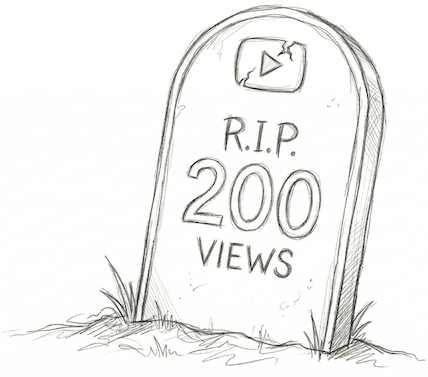
Why your clips flatline at 200 views.

Most clipping tools do the same lazy thing. They scan for one “great moment,” yank 60 seconds around it, and call it a clip.

But a random chunk of your podcast is not short-form video. No hook. No arc. No reason for a stranger to keep watching.

Every clip dies the same quiet death — while some podcast half your size racks up a million views on a single reel.

Your content was never the problem.
It was the edit.

Great clips aren’t found.
They’re built.

A great editor doesn’t grab one moment and hope. They pull the hook from minute 41, the tension from minute 3, and the payoff from minute 22 — then stitch them into a single clip engineered to hold attention from first frame to last.

That’s retention editing. And until now, it required hiring someone who costs more per month than your mic setup.

Clipping tools

Random chunk. No arc. Weak retention.

Retention editing

Four moments. One arc. Full retention.

Meet your
retention editor.

We built Cutform to give every podcaster the edge that six‑figure shows pay editors for. It’s not another clipping tool. It’s the first retention editor for podcast clips — trained on how the best editors think, built to construct clips that maximize watch time with human‑level taste.

Your best clip is already hiding inside your last episode. Let Cutform build it.

Yes, it does all that too.

The features everyone else leads with? They’re just our starting line.

AI Captions
Speaker Tracking
Smart Reframing
Vertical Export
Publish Anywhere
WHAT YOU GET

Every clip ships ready to post.

Every clip is an edit — not a soundbite.

Cutform doesn’t grab a single moment. It pulls the hook, the tension, and the payoff from across your episode and stitches them into one clip with a beginning, middle, and end.

Multi-moment construction Hook → Arc → Payoff

Captions that feel native, not bolted on.

Word-level sync means every caption lands exactly on the beat. Styled for vertical, sized for scroll-stopping, and baked into the export — not slapped on as an afterthought.

Word-level sync Vertical-optimized Auto-styled

Looks like a human editor touched it.

Speaker tracking, intelligent framing, and clean transitions give every clip a produced feel. No jarring jumps, no awkward cuts — just smooth, intentional editing.

Speaker tracking Intelligent framing Clean transitions

Ready to post the second you get it.

Every clip exports in 9:16 vertical with platform-optimized encoding. No re-rendering, no reformatting — publish straight to your platforms from the dashboard.

9:16 vertical Platform-optimized encoding Direct to feed

One episode in, zero effort out — clips your audience actually watches to the end.

Join Early Access →
SEE IT IN ACTION

Here's what Cutform actually builds.

Each clip below was generated from a full podcast episode. The timeline shows exactly where each part came from.

SOURCED FROM
Ep. 142 — The Talent Myth
1hr 4min episode · Interview format
Hook1
Tension2
The story3
Payoff4
0:0015:0030:0045:001:04:00
STITCHED INTO ONE CLIP
WHAT CUTFORM BUILT

Opens with the guest's provocative claim at 2:41, cuts to the host pushing back at 18:12, bridges to a personal story at 33:45, and lands the emotional payoff from 53:08. Four moments, one arc.

SOURCED FROM
Ep. 89 — Remote Surgery & the Future of Medicine
48min episode · Solo deep-dive
Hook1
Context2
Payoff3
0:0012:0024:0036:0048:00
STITCHED INTO ONE CLIP
WHAT CUTFORM BUILT

Leads with the most gripping moment at 18:30 — the surgical complication — then rewinds to the setup from 3:45 for context, and closes with the resolution at 35:12. Non-chronological, like a real editor would cut it.

FAQ

Questions we’d ask too.

How is Cutform different from Opus Clip?

Opus Clip and similar tools are clippers — they find a single interesting moment and extract it. Cutform is an editor. It maps your entire episode’s narrative structure, identifies the strongest moments across the full runtime, and stitches them into clips with a hook, arc, and payoff. The result isn’t a soundbite — it’s a constructed piece of short-form content built for retention.

What video formats do you support?

We accept MP4, MOV, and MKV files. Audio-only formats (MP3, WAV, M4A) work too. Any length, any resolution — just upload and we handle the rest.

Does it work for conversational episodes?

Yes — conversational podcasts are actually where Cutform shines most. We detect emotional beats, disagreements, storytelling arcs, and moments of genuine surprise across both speakers. The messier and more natural the conversation, the more material we have to build great clips from.

How long does processing take?

Around 20 minutes on average. You’ll get an email when your clips are ready.

Is early access actually free?

Yes. No credit card, no trial timer, no catch. We’re building Cutform with creators and your feedback is what we need most right now. Upload an episode and get your clips — that’s it.

Your content was never the problem.

Cutform edits your podcast the way a great human editor would. Upload an episode and see what your clips should have been all along.

No credit card · No commitment · Just apply